

Stock Adjustments
Correct a quantity. Keep the explanation.
Increase or decrease stock at a chosen location and record the reason, with before-and-after quantities in adjustment history.
Built for your everyday inventory operation
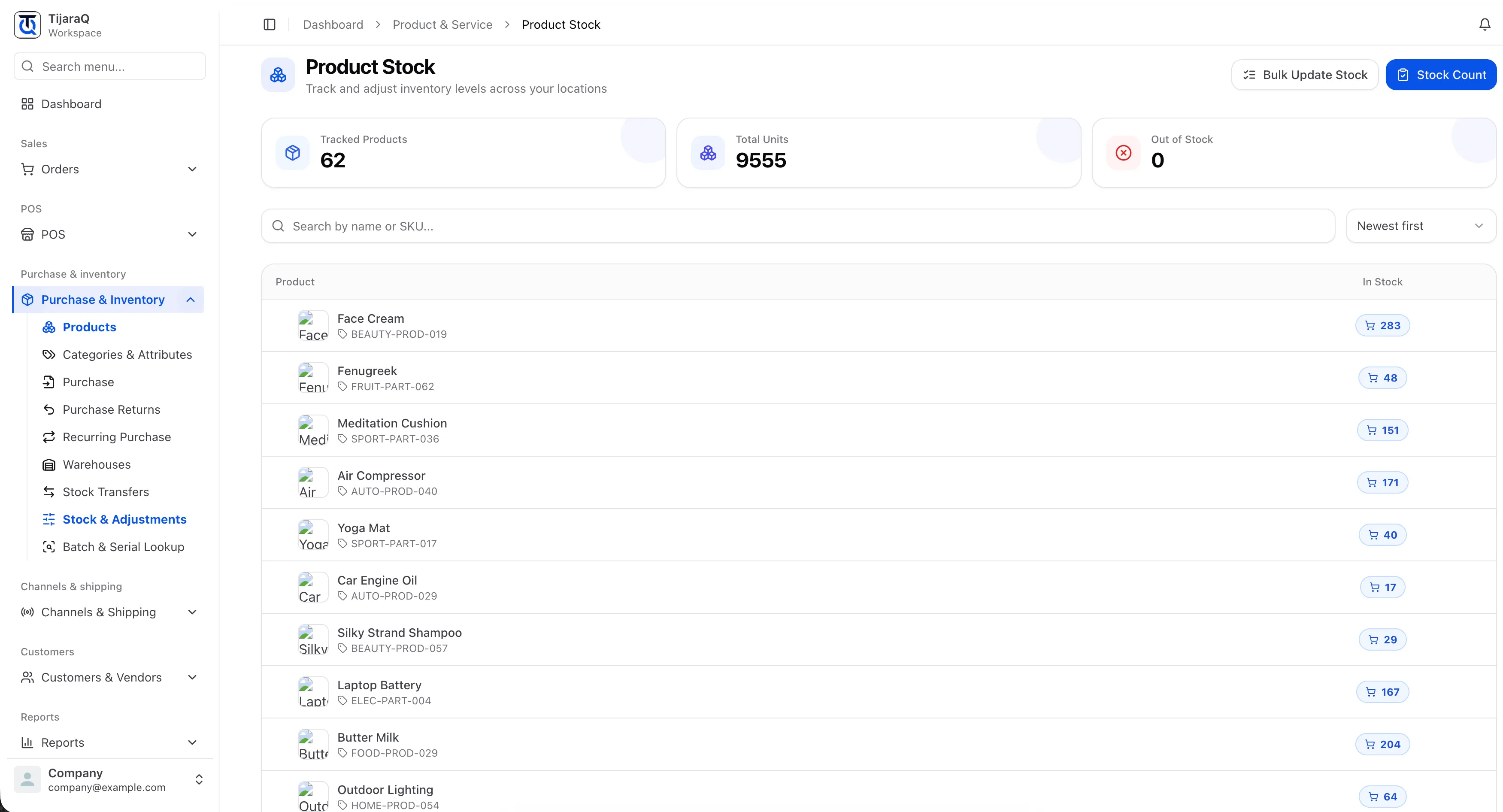
A specific location
Apply the correction to the product and location involved.
A recorded reason
Explain the increase or decrease when making the adjustment.
A readable history
Review the quantity before, the change and the quantity after.
Stock Adjustments
A stock correction should leave a useful record.
Damaged goods and count differences happen. Recording an intentional adjustment helps the next person understand why the quantity changed.
Select the stock
Choose the product, variant where applicable, and location.
Enter the correction
Choose an increase or decrease, enter the quantity and record a reason.
Review the history
Inspect the resulting before-and-after quantities in the adjustment record.
Frequently asked questions
Good questions. Clear answers.
Can I explain why stock changed?
Yes. The adjustment workflow records a reason alongside the quantity change.
Who can make adjustments?
The application checks the adjust-stock permission before exposing the adjustment action.
TijaraQ
One inventory operation across every place you sell.
Bring stores, warehouses and connected sales channels into one inventory workflow.