

Stock Tracking
Find the stock behind every SKU.
Review product quantities by location and inspect stock adjustments without piecing together separate spreadsheets.
Built for your everyday inventory operation
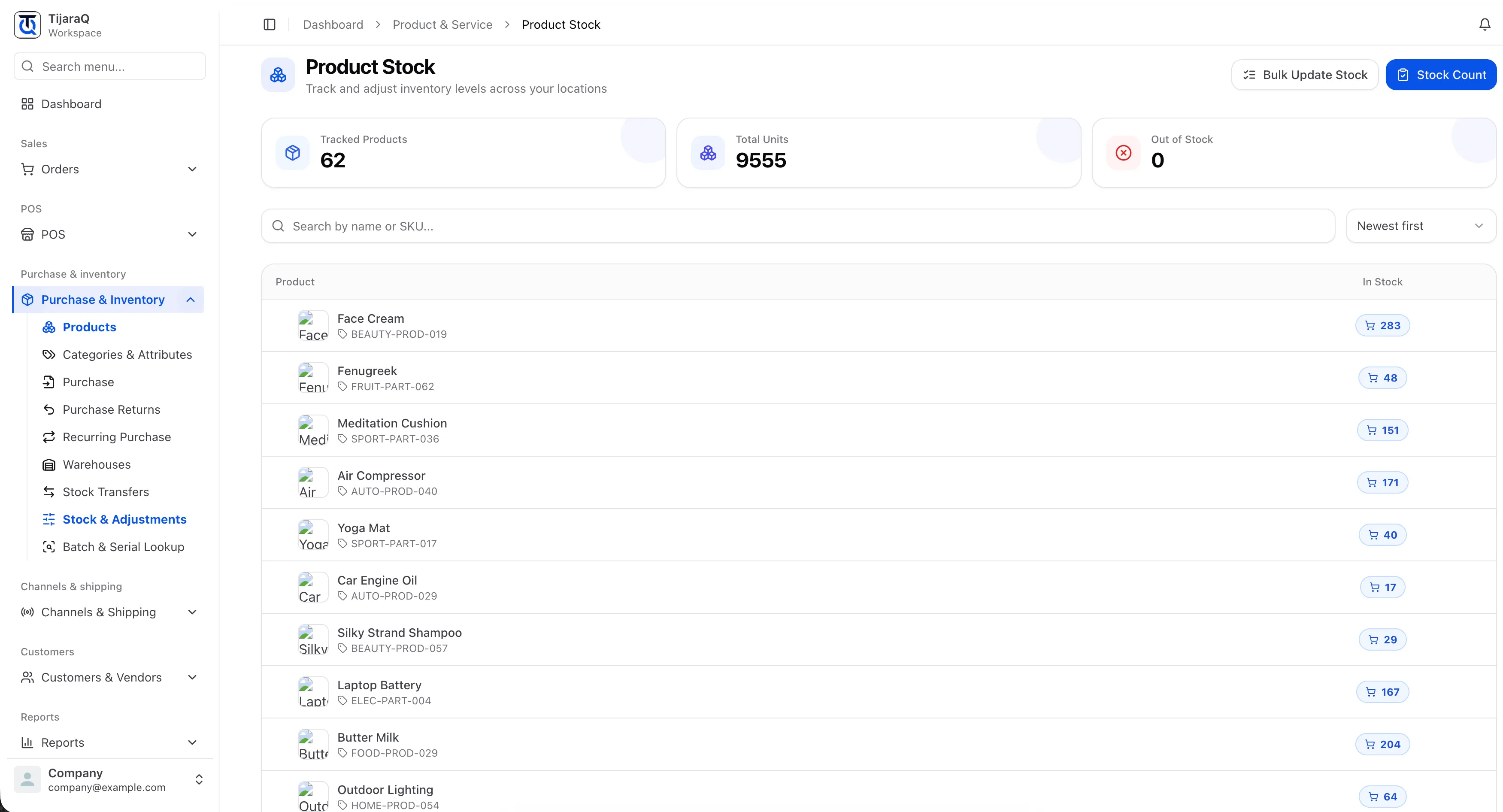
Stock Tracking
Start with a quantity you can put in context.
A product total is useful. Knowing the SKU, variant and location behind it is what helps a team answer a stock question. TijaraQ brings those details into the stock view.
Product-level detail
Find tracked products using their names and SKUs.
Location-aware quantities
Review stock at the warehouse where it is held.
Adjustment history
Inspect changes with before-and-after quantities and recorded reasons.
Frequently asked questions
Good questions. Clear answers.
Does stock tracking replace a physical count?
No. A stock view shows recorded quantities. Use Stock Count to compare those records with the units physically present.
Can I track variants separately?
Yes. Variant stock records distinguish quantities for individual product variations.
TijaraQ
One inventory operation across every place you sell.
Bring stores, warehouses and connected sales channels into one inventory workflow.