

Shared store stock
Store sales and online stock belong together.
A sale at the counter changes the stock behind the product. TijaraQ keeps the retail transaction connected to inventory.
Keep every counter sale connected

The moment stock changes
A counter sale should move the shared quantity.
When a POS transaction completes, TijaraQ applies its items to the selected stock location. That changed availability can then be communicated to connected online channels.
One connected sequence
From store sale to channel availability.
Actual product stock view
See the inventory behind the sale.
This real TijaraQ screen shows product quantities. The POS-to-channel synchronization itself is illustrated above.
Explore channel inventory sync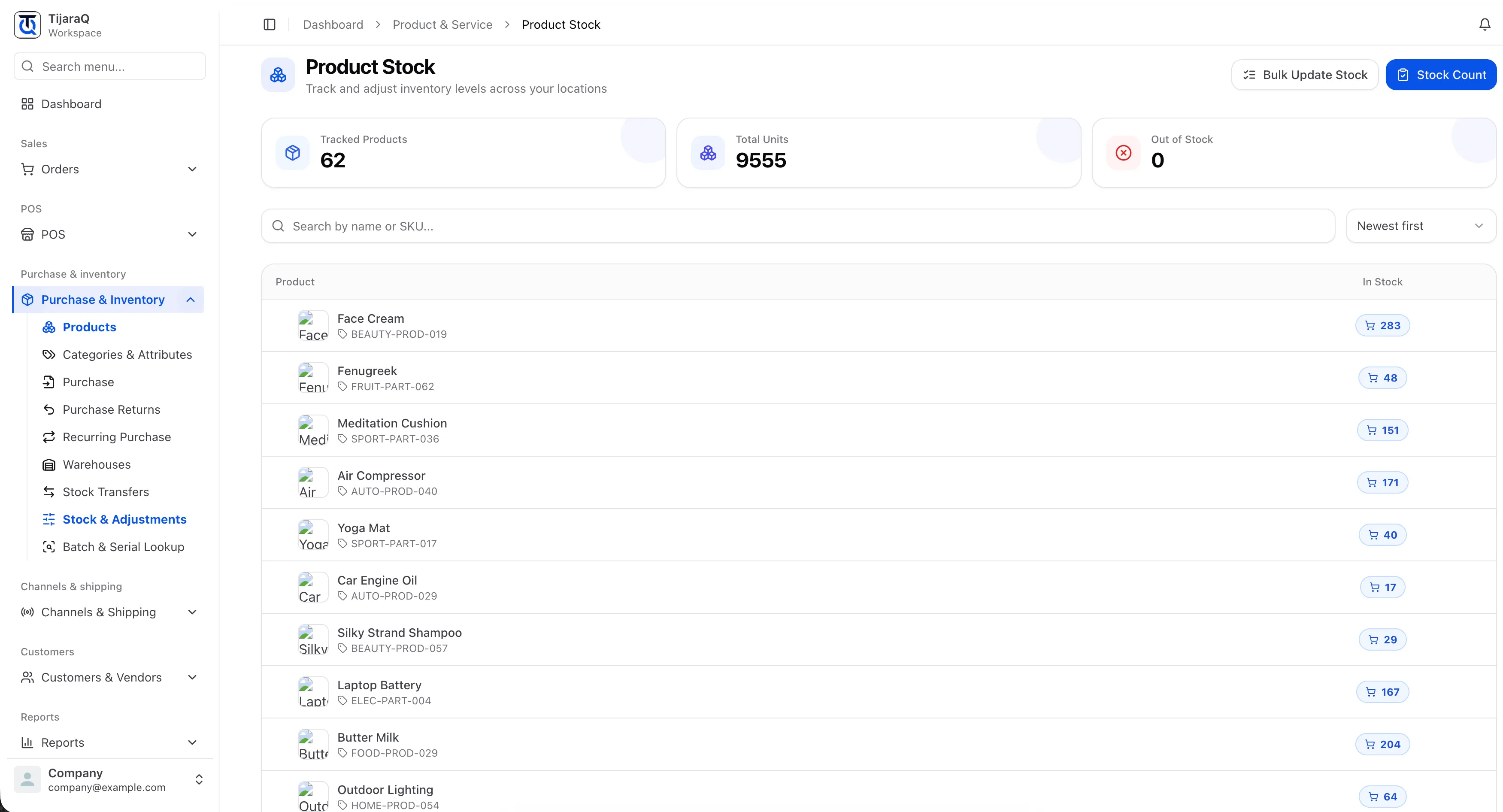
The distinction
Retail stock change first. Channel sync follows.
Stock tracking covers quantities inside TijaraQ; channel inventory sync covers communicating availability outward; overselling prevention covers competing demand.
Keep exploring
Connected work around the counter.
TijaraQ
Make the counter part of the whole business.
Bring retail selling, stock and orders into the same TijaraQ operation.