

Inventory Sync
Keep stock aligned everywhere you sell.
When quantities change in TijaraQ, connected sales channels can reflect the updated availability.
Keep the places you sell connected

 Shopify Synced
 Amazon Synced
 WooCommerce Synced
 Noon Synced
Stock changes travel
The sale in one place affects availability in another.
A connected channel order, retail sale, receipt or adjustment can change what is sellable. TijaraQ synchronizes the revised quantity outward.
Explore stock tracking
TijaraQ inventory
Updated channel availability The source of stock truth
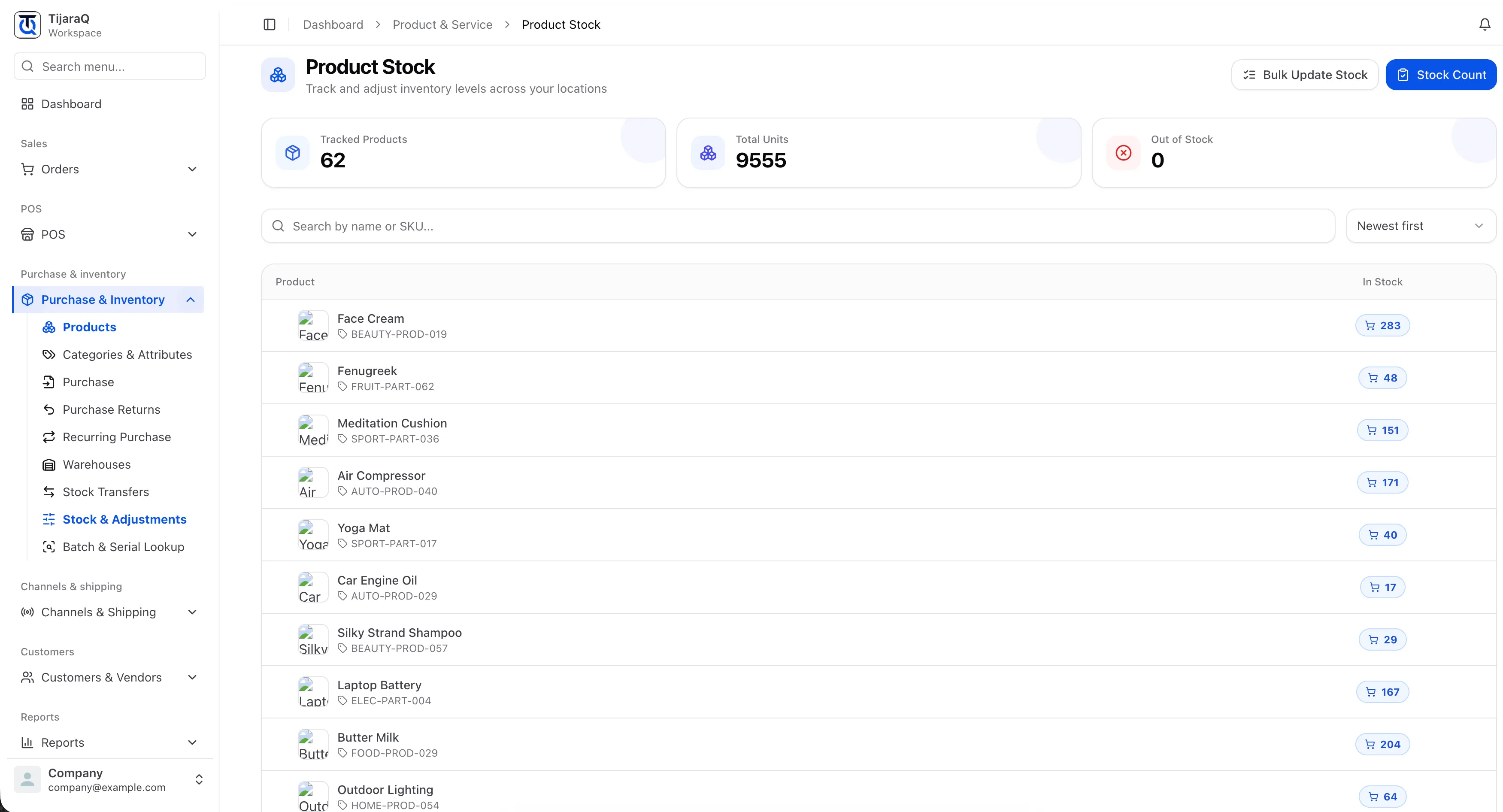
See the inventory behind the synchronization.
The TijaraQ product stock view shows quantities held in the operation. Channel sync communicates changes to connected sales destinations; this capture shows the inventory side of that relationship.
Sync needs a way to recover.
Connection status and reconciliation help your team recognize when channel availability needs attention. Overselling prevention covers the stock decision made before those updates are published.
TijaraQ
Keep every sales channel connected.
Bring products, inventory and incoming orders into one commerce operation.